
How to Read a Nutrition Information Panel

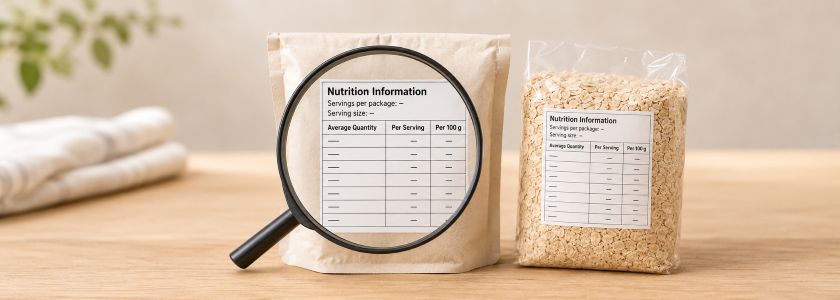
A Nutrition Information Panel, often shortened to NIP, is the standard table on most packaged foods that shows key nutrition information. It can help you compare similar products, understand what a stated serving provides and check how much energy, protein, fat, carbohydrate, sugars and sodium a food contains.
This guide explains how to read a Nutrition Information Panel step by step, including serving size, per-serving values, per-100 g or per-100 mL values and the main nutrients commonly shown.
What Is a Nutrition Information Panel?
Food Standards Australia New Zealand requires most packaged foods to display a Nutrition Information Panel.
A standard panel shows average quantities of:
- energy;
- protein;
- fat, total;
- saturated fat;
- carbohydrate;
- sugars; and
- sodium.
The panel normally shows these values both per serving and per 100 g, or per 100 mL for liquids.
Some products also show additional nutrients where relevant, including when a nutrition claim is made.
Start With the Serving Size
The serving size is usually shown near the top of the panel, together with the number of servings per package.
The food business determines the stated serving size, so similar products can use different serving sizes.
Check:
- the serving size in grams or millilitres;
- how many servings are in the package;
- whether the serving is described as one bar, scoop, sachet or another household measure; and
- whether the amount you normally eat or drink is similar to the stated serving.
Understand the Two Main Columns
Most Nutrition Information Panels have two main comparison columns:
- Average Quantity per Serving; and
- Average Quantity per 100 g, or per 100 mL for liquids.
Each serves a different purpose.
What Does “Per Serving” Mean?
The per-serving column shows the average amount of each nutrient in the serving size stated by the manufacturer.
This can help estimate what you would consume if you eat or drink exactly that amount.
For example, if the serving size is 40 g, the per-serving values describe the nutrition information for 40 g of that food.
If you consume twice the stated serving, you would generally consume approximately twice the listed per-serving amounts.
What Does “Per 100 g” Mean?
The per-100 g column provides a standard basis for comparing similar foods.
This is particularly useful when two products use different serving sizes.
For example, if one snack lists a 30 g serving and another lists a 45 g serving, comparing their per-serving numbers alone can be misleading. The per-100 g column places both products on the same weight basis.
For liquids, the equivalent comparison is normally per 100 mL.
When Should You Use Per Serving?
Use the per-serving column when you want to understand what the stated amount of food contributes.
It is useful for questions such as:
- How much energy is in one stated serving?
- How much protein does one serving provide?
- How much sodium would I consume from this serving?
- How much sugar is in the amount the label defines as one serving?
Remember that your actual portion may be larger or smaller than the manufacturer's serving size.
When Should You Use Per 100 g?
Use the per-100 g or per-100 mL column when comparing similar products.
This removes differences caused by manufacturer-defined serving sizes and gives you a common basis for comparison.
It can be especially useful when comparing:
- snack products;
- powders;
- breakfast products;
- drinks;
- sauces or spreads; and
- similar packaged foods with different serving recommendations.
Energy
Energy is usually shown in kilojoules, abbreviated as kJ. Some labels may also provide kilocalories.
The energy value represents the amount of energy supplied by the food.
When comparing products, check whether you are looking at energy per serving or per 100 g. A larger serving can naturally contain more energy even when two products have a similar energy density.
Protein
Protein is shown in grams.
If protein is important to your comparison, check both:
- protein per serving; and
- protein per 100 g.
A product with a larger serving can show a higher per-serving protein amount even if its protein concentration is similar to another product.
For food products marketed as high protein, check the detailed panel rather than relying only on front-of-pack wording.
Total Fat
Total fat is shown in grams and includes the different types of fat present in the food.
The panel separately identifies saturated fat underneath total fat.
When comparing similar foods, review both total fat and saturated fat rather than treating them as the same figure.
Saturated Fat
Saturated fat is shown as a separate line under total fat.
Because it is part of total fat, you should not add the saturated fat number to the total fat number.
For example, if a product contains 8 g total fat and 3 g saturated fat, the 3 g is already included within the 8 g total.
Carbohydrate
Carbohydrate is shown in grams.
The carbohydrate line and sugars line are related but are not the same thing.
Sugars are included within the carbohydrate figure, so they should not be added together to calculate total carbohydrate.
Sugars
The sugars line shows the total amount of sugars in the food.
It does not, by itself, tell you whether those sugars were added during manufacturing or occur naturally in ingredients.
To understand where sugars come from, also check the ingredient list and any relevant claims on the package.
Our planned Understanding Sugar on Food Labels Guide will cover this in more detail.
Sodium
Sodium is normally shown in milligrams rather than grams.
Sodium is a component of salt, but the sodium value in the Nutrition Information Panel is not simply labelled as “salt”.
When comparing similar products for sodium, use the same column for both products, preferably per 100 g or per 100 mL when serving sizes differ.
Why Other Nutrients Sometimes Appear
Some Nutrition Information Panels include additional nutrients beyond the standard entries.
For example, dietary fibre, vitamins, minerals or other nutrients may be declared where relevant to the product or where a claim requires that information to be shown.
This means that two panels do not always contain exactly the same number of rows.
Do Not Add Subcategories to Their Parent Nutrient
Several lines on the Nutrition Information Panel are already included within broader totals.
For example:
- saturated fat is included in total fat; and
- sugars are included in carbohydrate.
Do not add these numbers together when interpreting the panel.
Serving Size Can Change the Impression of a Product
A small stated serving can produce relatively small per-serving numbers.
That does not necessarily mean the product contains less of those nutrients than a competitor using a larger serving size.
For similar products, compare the per-100 g or per-100 mL column as well as the serving information.
See the planned Understanding Serving Sizes on Food Labels Guide for a more detailed explanation.
How to Compare Two Products Step by Step
For a simple comparison:
- Make sure the products are reasonably similar in type and intended use.
- Check their stated serving sizes.
- Use the per-100 g or per-100 mL columns for a direct nutrient comparison.
- Use the per-serving columns to understand what each stated serving provides.
- Check the ingredient lists for differences that the nutrition numbers alone do not explain.
- Review any relevant nutrition or health claims in the context of the complete label.
The Nutrition Panel Does Not Show Everything About a Food
A Nutrition Information Panel is useful, but it is only one part of the food label.
It does not replace checking:
- the ingredient list;
- allergen declarations;
- serving and preparation directions;
- nutrition or health claims;
- date marking;
- storage directions; and
- other relevant label information.
For the ingredient side of food labels, see the planned How to Read a Food Ingredient List Guide.
Not Every Food Requires a Nutrition Information Panel
Food Standards Australia New Zealand notes that there are some exceptions to the general requirement for a Nutrition Information Panel.
Examples can include certain unpackaged foods, foods made and packaged at the point of sale and some products with little significant nutritional value.
However, additional nutrition information may be required when certain nutrition claims are made.
A Practical Nutrition Panel Checklist
- Check the serving size. Do not assume one package equals one serving.
- Check servings per package. Some packages contain multiple stated servings.
- Use per serving for your likely intake. Adjust mentally if you consume more or less than the stated serve.
- Use per 100 g or 100 mL to compare similar products.
- Check energy. Make sure you are comparing the same column.
- Check protein. Compare both concentration and serving amount where relevant.
- Check total and saturated fat separately.
- Remember sugars are part of carbohydrate.
- Check sodium in milligrams.
- Read the ingredient list as well. The NIP does not explain everything about the formulation.
Frequently Asked Questions
What does NIP stand for?
NIP stands for Nutrition Information Panel.
What nutrients are normally shown?
A standard Australian Nutrition Information Panel shows energy, protein, total fat, saturated fat, carbohydrate, sugars and sodium. Other nutrients may also appear where relevant.
Should I compare per serving or per 100 g?
Use both for different purposes. Per-serving information shows what the stated serve provides, while per-100 g or per-100 mL information is particularly useful for comparing similar products with different serving sizes.
Who decides the serving size?
The food business determines the stated serving size, which means serving sizes can vary between similar products.
Are sugars already included in carbohydrate?
Yes. The sugars figure is part of the total carbohydrate figure, so you should not add the two together.
Is saturated fat already included in total fat?
Yes. Saturated fat forms part of the total fat amount.
Why does fibre sometimes appear on the panel?
Additional nutrients can be declared when relevant, including where a nutrition claim requires that nutrient to be shown.
Does every packaged food need a Nutrition Information Panel?
No. There are some exemptions, although most packaged foods require one. Requirements can also change when certain nutrition claims are made.
Further Information
- Food Standards Australia New Zealand — Nutrition Information Panels
- Food Standards Australia New Zealand — Nutrients in the Nutrition Panel Calculator
Important Information
This guide provides general information about reading Nutrition Information Panels on packaged foods. It is not intended to provide personalised dietary or medical advice and does not replace advice from an appropriately qualified health professional.
Nutrition requirements vary according to factors such as age, life stage, activity level, medical conditions and overall dietary pattern. If you require personalised nutrition advice or need to manage a medical condition through diet, speak with an appropriately qualified health professional.
Always read the complete current food label, including the ingredient list, allergen information, serving size, Nutrition Information Panel, preparation directions, storage instructions and any relevant claims or warnings.
Product formulas, directions and warnings can change. Always check the current product label before purchase and use.